Showing posts with label free. Show all posts
Showing posts with label free. Show all posts
Tuesday, 11 October 2016
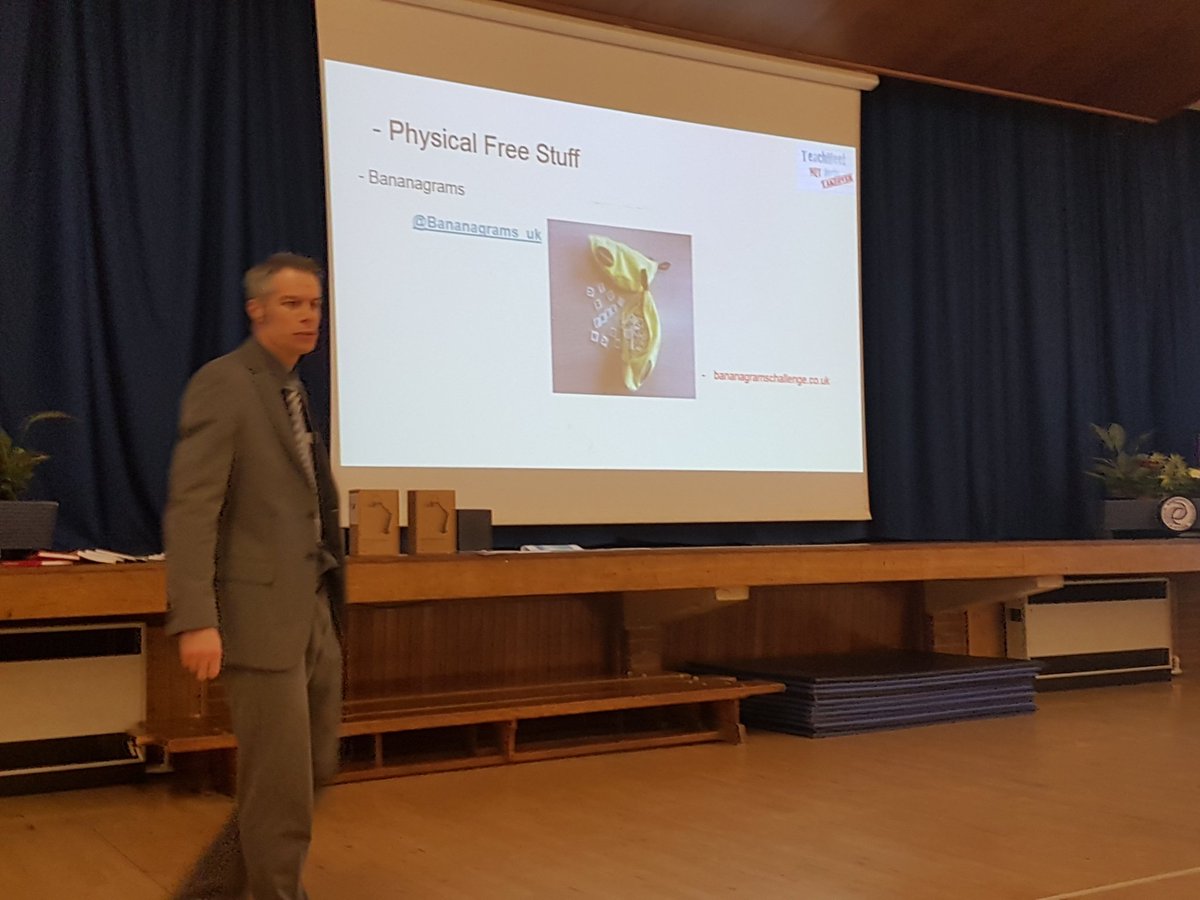
Free 'Stuff' - Actual, Real 'Stuff'
Earlier this evening, Liam presented at a TeachMeet in Stevenage. He presented about learning opportunities he'd been able to use in class that had no costs attached:

Sunday, 6 April 2014
Use YouTube with More Confidence
Here we go, a follow up to a previous post. Everything in the previous post is still relevant, but since, we've learned more.
We have found more ways of 'de-cluttering' YouTube:
2. SafeShare.TV (via Ben).
Also, we've found more ways of downloading from YouTube:
Short. To the point. Want to know more? Read the first post.
Thursday, 19 July 2012
Apps for Your Primary Classroom
The below list of iOS Apps was originally stored at http://web.me.com/thisisliam. These apps have all been used by us in our Key Stage Two classroom. Although this list links to the iTunes Store many of these apps are also available on other operating systems too:


Geography
History
Literacy
Maths
Basic MathMFL
Music
Other
Photography
Puzzles
Science
SEN
We'd welcome your additions. Add them as comments below and to our previous post about apps. Since this post, we've blogged about more apps here.
Sunday, 29 April 2012
Use YouTube with Confidence
So, there's a video on YouTube you want to show your class. But, you're worried about the comments below it, or the users' other videos that show up alongside or the videos that show up at the end. Or, may be you can't rely on your internet connection. And, if you put the video into your planning will it still be there in future years
Here are two pieces of software we use to help with all of the above:
Firstly, clea.nr is an excellent way of de-cluttering YouTube. It removes everything except the video, thus solving some of the above issues. They say:
"That's it. We remove clutter."
Also find them online @cleanerinternet and facebook.com.

Image credit: uk.real.com
Secondly, we use RealPlayer Downloader. It's available from www.real.com and works on both Windows and Mac. What Real Player Downloader does is it allows you to download any video from YouTube (and many other websites) as a .flv file. If you are a SMART Notebook user this .flv file can be dropped into a Notebook page. From the Real website you'll also get RealPlayer Converter which will allow you to convert the file to a .m4v to place in a Keynote or on an iOS device, or convert to .wmv to place in PowerPoint. In addition to now being able to place the video directly into a presentation you'll also be avoiding all those comments and adverts, but best of all you now have a copy of the video (hopefully it has CC sharing rights) for future use.
We hope you'll be able to make use of these.
Thursday, 29 March 2012
Use Your Equipment Out of Hours!
Schools are full of equipment and resources for all lessons across the curriculum. Lots of ICT kit and of course the P.E. equipment. Schools are not occupied all day every day, meaning this equipment is not being used all of the time.
We've been looking at ways to make use of the equipment outside of school hours to make the most of the resources our school has.
With the ICT equipment we have run events after school or on Saturday mornings for children and their families to attend to use digital cameras, laptops, iPods, Flip cameras and so on. This allows some families the opportunity use equipment they may not have at home, gives families some time together and allows children to teach their parents, grandparents, aunties how to use the various hardware and software. But most of all, gets people using equipment that the school has invested in that otherwise would have laid dormant.These events sometimes have a focus, for example music creation or photography, but have also been 'come and play' sessions where children and their families can use what they want, how they want.
So, that's got the children and their families using some equipment. Now for the staff. We have a games shed full of footballs, rounders kit, netballs and so on. Each half term we've recently started having a staff game after school one day. It again gets the equipment used, gets the staff together and it fun!
So, look at all that equipment in your school and ask yourself. Are you making the most of it after 3:30 and at weekend?
Monday, 27 February 2012
Manga High maths games
We were first saw Manga High at BETT a few years ago. Looking down over the balcony I could see an enormous manga style figure and wanted to know more. After the requisite sales pitch, we were impressed with what looked like fun games that could be accessed and, at the time, some of them were free.
Returning to school, we duly incorporated some of those games into our maths work. A particular favourite was estimating by chucking penguins out across an ice flow. The children enjoyed this both because it was visually stimulating and challenging.


Image credit: www.mangahigh.com
The challenge is one of the great things about Manga High. It seems to be primarily designed for secondary and therefore is usable as a genuine challenge for more able children. We have used these activities as a basis for homework for our more able mathematicians in Year Five and there are even more options available for maths groups in Year Six.
Recently, and rather amazingly, Manga High is now free to use when you register as a school and get some customisable options to work on. Whilst we have not made major use of it in class yet and certainly not explored the options that are available when you register, it is a great resource for teachers to direct parents towards for mathematically challenging home learning tasks. Our children enjoy it because of the style of the website and because of the challenge it offers and invariably move on to some of the other tasks that are available to play.
Subscribe to:
Posts (Atom)