Showing posts with label interactive. Show all posts

Wednesday, 8 February 2017

The Weather Tree

Another post that is in response to a Tweet we received.


So, here's something we did a fair few years ago...


To start with, the tree is empty and each day a leaf is added. The colour of the leaf is dependant on the temperature outside. On the leaf, other observations and readings about the weather can be added. 


What is creates is a very visual display of the temperature changes across the year. On closer inspection, further information about the day's weather can also be seen.


The leaves were kept in coloured pouches at the bottom that had the key written on them to explain what the colours referred to.

Monday, 15 February 2016

Baby in the Classroom

At our school, parents (and other relatives) are invited to join their child for lunch. We have up to ten parents per day, in the hall, eating with their children. If you don't already, maybe you should give it a go. Anyway, as a result of that, we, as teachers, have brought our own young children into school to eat with us.


A few weeks ago, my thirteen moth old daughter and wife were due to join my for lunch. I asked them to come in an hour early and we had a lesson with my class before lunch. Here's what we did:

The children sat in a circle, with my daughter in the middle.

We waved to her and she waved back. We all said hello in turn and she followed the sound.

We passed a ball to her and she passed it back.

We pulled her train around the circle for her to follow.

Of course, we played peek-a-bo. Both her and the class loved that.

We sang 'Twinkle Twinkle' to her.

We said 'Ta', 'Baby' and 'No' for her to copy.

The children asked questions and generally interacted with her.

Why did I choose to do this? In my Year Five class of 30 pupils, only two of them have a sibling of a similar age. Some are from single child families; others the youngest child. The ones who do have younger siblings are similar in age. It gave them chance see and interact with a one year old baby. Many of the class appreciated this and they don't get the opportunity to in their extended families. In addition, my daughter thoroughly enjoyed her time in the limelight! 

So, if you have access to a small child and would like to spend some time with them in your classroom, I'd recommend it.

Wednesday, 9 December 2015

Calculation Races

Earlier this week, my class and I were undertaking a Number Talk. The question we were using was '19 X 24'. I hoped many children (mixed ability Year Five) would use a mental method or jottings (partitioning, rounding & adjusting and so on). 

However, over 90% of the class used a grid method or expanded column multiplication. Nothing wrong with that, except the focus we'd been having on mental methods and not always defaulting to a written method. We listened to how children had arrived at their answers and then discussed which were the most efficient. As a class, we then solved both 19 X 28 and 19 X 35 using rounding (20 X 28) and partitioning (10 X 35 added to 9 X 35) to remind them of the available less formal / mental / jotting methods available to them.


In order to win over the remaining doubters I still had in the class, I set the children a challenge. They'd solve a question using only mental methods, while I tired to answer it as a written method on the classroom whiteboard. Although I wanted to prove the mental method was quickest, I still tried really (really, really) hard to do my method quicker than the class. However, I 'lost' all three times (19 X 56, 19 X 45 & 29 X 34). I'd only got beyond setting up the method and doing the first part of the calculation. Class. Won. Over.


Will be doing more of it...

Sunday, 6 December 2015

When Plans Change

When plans change, it's useful to have the odd activity available that you can make use of. Here, Liam wrote about how this, for him, has become a 'gift'.

One App Whole Class - Take a look at our previous blog post about how we've used one tablet for the whole class to interact with it. 
We've shared in the past ideas for working on times table knowledge. Each of these can easily be picked up with minimal notice. Also, how about some Place Value Yahtzee or maths games with playing cards?

Try Something New - Through Twitter and other teacher's blogs, I regularly see things that I want to try in my classroom. They don't always fit into current topics being studied or might be a valuable one-off lesson focusing on a key skill. Therefore, when a spare hour or half hour crops up, it's a good chance to give them a go.

Websites and Apps - Got computers, laptops, tablets available? Grab them, use a website you subscribe to, an app that teaches or revises something. It'll be a good use of the time. 

Spelling - There are plenty of word games and activities that could be used to work on a spelling rule or current spelling list. Boggle, Conundrum, wordsearch, anagrams and so on...

Now, when someone says that the plans have changed, your job is to say, "Excellent!", turnaround and go have fun...

Thursday, 26 November 2015

TED Talks in Class

I've watched TED Talks in the past. This week, for the first time, I used on in class. We used the one below, with a fantastic outcome and enjoyment by all.


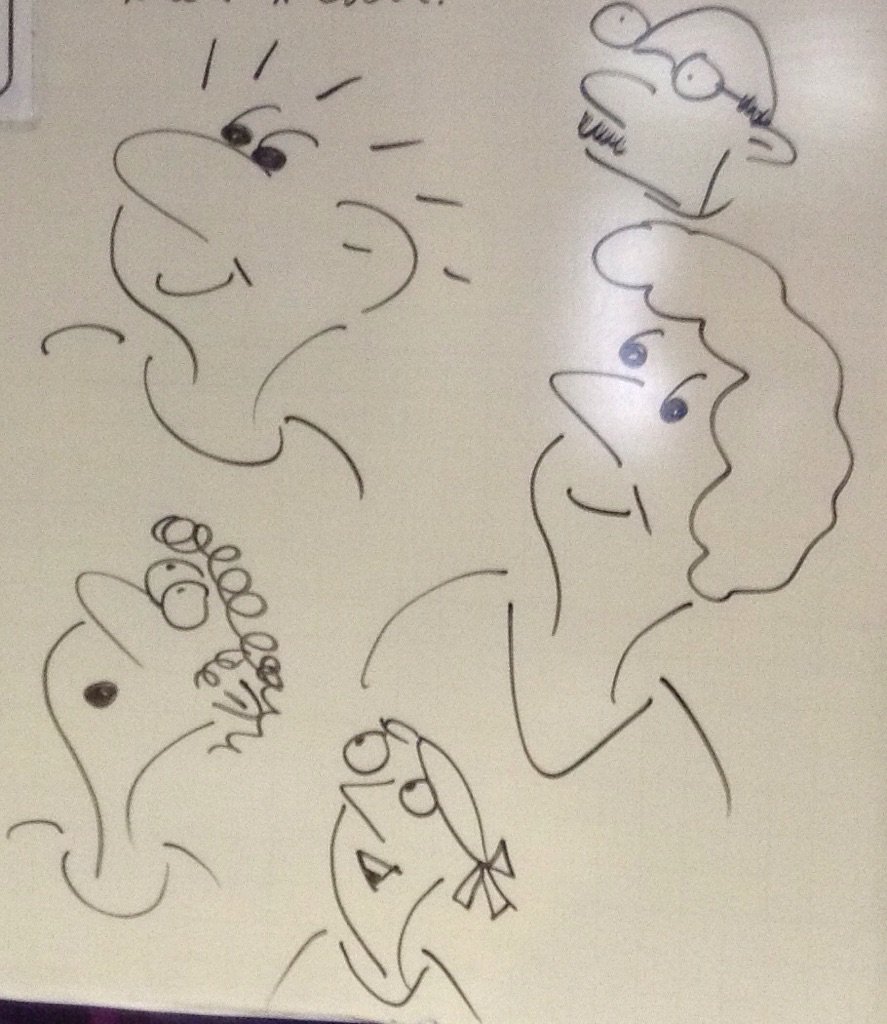
The talk was engaging, interactive and at a level that all my Year Five children could join in with. The picture below shows my efforts.


All children were involved in all of the lesson. They listened intently and followed the instructions in the video. In fact, in my maths lesson that followed, I had to remind many that the art lesson had ended and we were now focusing on something else! 

Following on from this experience, I'm going to look for some more TED Talks that could be useful in class. Some linked to our curriculum, some to inspire about writing, maths or science and others to deliver a message, thought or outlook on life. I'll update this blog post with any that I use. In addition, if you have any that would be good to show in a primary classroom, please let us know in a comment below, email or via Twitter.

TED Ed is also worth looking at for videos aimed more directly at what may be part of a school's curriculum. 

Wednesday, 27 May 2015

One App - Whole Class

A couple of weeks ago, I wanted to do an activity with my class at the end of an English lesson about word classes. I knew I had Shake-A-Phrase installed on my iPad device, but, at the time, it wasn't installed on the school's iPad devices. I decided to give something a go...
I opened the app up on my device and used AirServer to allow the whole class to see what was on the iPad's screen. I then started the Quiz element of Shake-A-Phrase and when each sentence came up the class called out what they thought the answer was and I clicked what they suggested. As a class, we discussed, enjoyed and learned. 

I've since given this a go with other apps too and in different ways:

Math Duel: Split the class in half. Each team had a person sat at the iPad device and the team called out answers for the person at the iPad to enter.

SpellFix and Word-Juice by Alan Peat Ltd.: Projected the puzzle for all to see and passed around the device with suggestions coming from the class.
At the time of writing, I tried to get Sentopiary to work, but it will not project through AirServer. UPDATE: 03/06/15 For Sentopiary to work through AirServer, the iPad needs to be projected using AirServer and then the Sentopiary app opened. Opening the app and then projecting with AirServer will not work.

Quento: While the class were using the same app, we projected one for the class to do together. 

Also, display two screens side by side - competition...

Even tough we have class sets of iPad devices, this gives a different slant on the activities. If you try it, let us know. We'd love to know any other apps that work well.

Sunday, 26 April 2015

'We Make Use of...' Spellodrome

This is the first post of a series that we're goign to tag with 'We Make Use of...'

We've been making use of Spellodrome for about five years. Initially a little sceptical of how Mathletics (covering all of maths) could  have a similar site focusing on only spelling would work, we began to use it.
Image credit: www.3plearning.com

In the site, there are word lists set up that can be used. These link to curriculum expectations. There is also the ability to set up custom word lists. To learn the spellings there are a large variety of enjoyable games for the children to complete. These games include: putting parts of words back together, a similar game to hangman, writing word in sentences, word searches and more. The games enable the children to learn the words, their meaning and the sounds that make them up in a variety of contexts.

Both teachers, pupils and parents are able to track pupils' progress

Within Spellodrome, there are certificates that an be earned by children for their independent work. We hand these out in class and in assemblies within school. The children are engaged and motivated by them and, seeing them being handed out, also motivates others to use Spellodrome too.

We have used this to accompany weekly set spelling lists, as part of spelling lessons, to support prevention and intervention groups, for independent work and more.

That's just a small insight into what we've found Spellodrome useful for. If you want to know more, please get in contact with us or 3P Learning.


Note: We have written this post as a result of using this website in our classrooms. We have not been asked or paid to write. We are often approached to write posts, but have and will continue to only write about what we have done in our classrooms. We're two full-time class teachers choosing to blog about our experiences.

Saturday, 8 November 2014

More Display Interactivity

This post is a follow up to our post almost exactly three years ago. Since that post about interactive displays, we added Word of the Week in 2012 and we've now added to it further… 

In October, we wrote about #PadletBombing. That blog post came from an idea inspired by Robin Smith. Robin, you're responsible for this one too…

The Padlet Bombing came about from Robin's class working on different sentence types on a weekly basis and using Padlet as a place to share their work. This got us thinking: 'A sentence per week? What could we do with that?'

So, the interactive display has been added to:


We use the Writing Exciting Sentences book (and associated apps) by Alan Peat to aid our teaching of sentence and punctuation variety. The sentence type for the week and examples used on the display come from the book and app. Children can write their own example of the sentence type and then stick it onto the display. We are using a sentence type that links to the text type being taught that week and ask children to write their example as one that could be used in our writing for that text type. 

In addition, we also came across this yesterday:


You may like a separate section for your interactivity or add it to a Working Wall. 

Thursday, 10 April 2014

Television - Beaming Ideas into your Livingroom!

"Don't watch the TV, it'll make your eyes square!"

"Sitting there all day will do you no good."

Indeed those are good points. Although, the first may not be scientifically accurate. We blogged a while ago about using an idea from a BBC show and we're confident most classes have had a go at the Countdown numbers or letters game.

Recently, we've made use of some ideas from School of Hard Sums. This was aided by some excellent resources from Stuart:


This made us thinks a little more. How about a classroom activity using Blankety Blank, Pointless, Eggheads Catchphrase and more...

Give it a go and as always. Let us know how you get on.

Thursday, 16 January 2014

Apps for Your Primary Classroom Mark 7

Our 7th post about apps we've made use of in our primary classroom. Again, links are to the iTunes store as we have iPod and iPad devices at our disposal. Many or similar also available on the Google Play Store.

Image credit: www.apple.com

GENERAL

HISTORY
Diomedia Calendar

LITERACY 

MATHS 


MUSIC

SCIENCE


We'd welcome your additions. Add them as comments below and to our previous posts about apps.

Wednesday, 30 October 2013

Apps for Your Primary Classroom The Fifth (The Augmented Chronicles)

So, our fifth post about apps. This one's not just all the newest ones we've found, it's all the new augmented reality apps we've been playing (learning) with. See our other app based blog posts by clicking on The 'app' label at the bottom of this post.

Image credit: www.apple.com

These apps also appear on some of our other posts. We thought it might be useful to have them all listed together too:


AR Flashcards 

AR Flashcards Space

Atlas


ColAR Mix

My Dragon Toy
String
Zooburst

SkyView Free
Spacecraft 3D
Space AR 

Space Journey
Star & Planet Finder

Walking with Dinosaurs


Again, if you have any we don't know about then please let us know.

Sunday, 13 October 2013

What is It?

Firstly, this is not our idea. It's stolen, er sorry, 'magpied'. So, if Sarah is reading this, yes we listened during your staff meeting, yes we liked your idea and yes, now we're blogging about it so the country, continent and wider universe can find out about your idea too...

Below is an example that could be used for a history lesson. We've adapted this for a geography lesson about map knowledge too, but it can be adapted for any subject and age group. The idea is to show different parts of a picture or object 3 or 4 times and ask the children to work out what is being shown.

For example, the wives of Henry VIII:

Firstly, showing shoulders, then hands, followed by eyes and so on. Children make predictions, based upon previous knowledge and think about how their predictions change as they see more and more detail. So, hence forth and give it a go. Oh and thanks again Sarah, if you're reading. 


Monday, 27 May 2013

Padlet Beats Sugar Paper

Have you seen Padlet (was WallWisher)? It's on online 'wall' where sticky notes can be added. It allows anyone with the link to the page to add to the content of the wall.

Here are three examples of its use:


My newest idea for using Padlet is as a replacement to sugar paper. How often do children in your class work collaboratively while huddled around a piece of sugar paper passing a marker pen between them to add content? How about providing them a Padlet wall to write on? Either one for the whole class, or one per group. Start with a blank wall or possibly start with a prompt in the middle (a photograph for example). Then at the end, the class teacher can project the results or get each child in turn to visit the other walls to see what's been written. Also, there's no need to store rolls of paper for future reference. Just keep the links!

The walls above are on going throughout the year and therefore all posts are moderated. If I was using a wall within one lesson I'd probably leave it unmoderated so results were put live instantly.

If you have other uses for Padlet please let us know.

Saturday, 4 May 2013

Base Rounders

Before I began teaching, I worked on a number of holiday playschemes. While on those playschemes, we often invented and adapted games to suite children, resources and of course the weather. 

On one rainy summer's day, we invented (or believe we invented) 'Crash Mat Rounders'. Outside it was pouring down, the children wanted to play rounders and we had a sports hall at our disposal. We placed four crash mats out as bases, had a spot for the bowler and a place to bat from. We decided on some rules too. You were only out if caught, or if you were touching the sports hall floor while the ball was in the bowler's hand. There could be as many children on a base as they wanted, batters could overtake while running and the teams swapped over when the batting team had no one available to bat.

The enjoyment of less rules, jumping on crash mats and quicker turn around of innings made the game a huge success and it being played (indoors) on even the sunniest days of that summer!

So, when I began teaching, I was looking for ways to cover 'rounders skills' but in a more enjoyable way, with more children involved more of the time. I adapted 'Crash Mat Rounders' to form 'Base Rounders'. I have played it with every class I have taught, with each preferring it over various games of cricket and the traditional version of rounders.

I set up the pitch as shown below:

Each base is made up of four cones. With a cone for where the bowler needs to stand and a cone for the batter.

As I said earlier, the rules are simple:

Batter, hit the ball (or not) and run to a base. If you're running when the bowler gets the ball back you're out.

Fielder, catch the ball, or stop it and throw it back to the bowler.

Swap over when there's no on to bat. I usually get 4 - 5 innings per team in a lesson!

Hopefully that makes sense. Give it a go. I always explain it's not the 'real' rounders rules and do have games of rounders using those traditional rules too. 

If anyone else has played similar or the same as this, I have not stolen your idea as my own - I have independently generated these rules.

Monday, 31 December 2012

Loop Cards Become Treasure Hunts

Do you have loop (follow me) cards in your classroom? Do you use them? Do the children sit and respond when they think they have the right answer? What do they do once they have answered?

Hows about all the children taking part all at once?

Make them into a treasure hunt! Print them on large paper and put them up around your classroom, playground or whole school. Give each child or group of children a different starting point and set them off. When they get back to where they started they've finished. 
Got the facility to read QR Codes? You can use them too!


As you can see we've mainly used these in maths. They can be used in many other subjects too. This has been good for identifying misconceptions, group work skills, perseverance levels and checking of incorrect answers. A map of where the questions are is helpful. They can also be differentiated; two different hunts on different coloured paper or a 'longer route' and 'shorter route'.

An example treasure hunt can be found here.


Tuesday, 18 December 2012

Kung Fu Literacy (Grammar)

Our previous post was titled Kung Fu Literacy (Word Types). This post follows on from that.The idea again is to use Kung Fu style moves to remind children of rules when writing.


Display a sentence. The everyone reads the sentence aloud. When the following appear in the sentence the following actions are used by all:

Capital Letter - Hands together and bow.

Full Stop - One punch forwards.

Comma - One hand moving in a downwards diagonal direction.

Speech Marks - Both hands held above the head and fingers used in a speech mark style.

Exclamation Mark / Question Mark - One hand make the shape of the upper part and then a punch below.

These are moves we have used. More can be added. Children should be encouraged to think about the moves as they write to remind them of what's required and where.

Sunday, 24 June 2012

Google Earth in Maths (again)

Firstly, we were really pleased we were able to help out Joe with his lesson and to find out about what he had done with his class. Joe replied that he'd taken our idea and added to it: "Used it for calculating circumference/area of roundabouts, centre circle at Anfield etc y6 transition".

So, our original post suggests using the ruler tool to calculate area and perimeter of squares, rectangles and even The Pentagon. We agree that a good extension in the primary setting would be for Year Fives and Year Sixes to be extended by calculating circumferences and areas of circles, again in a real life context.

Thank you for the suggestion Joe, we're certainly going to use it with our classes and once again well done with your outstanding lesson!

Sunday, 22 April 2012

Fed up with Spelling Tests?

We need to learn how to spell. It's essential if we're to communicate using written text. 

To find out if someone can spell a word a spelling test can be used. However, this does not need to be always done through the means of 'adult reads word, child writes word and then a score out of ten is produced'.

Yes, still use the 'traditional' spelling test sometimes, but how's about trying some of these too:

Anagrams: Provide the children anagrams of the words for them to then unscramble.

Crosswords: Give the children clues to a word's meaning or sentences with gaps.

Sentences: Write out some sentences. Some using the word correctly, others where the word's used incorrectly. Good for homophones and apostrophes.

Text: Provide a text with the words spelled incorrectly within in. Children correct the words.

Wordsearches: Put the words into a wordsearch for the children to find.

These often provide support, interest and engagement in the learning of spelling rules, patterns or key words for a particular topic. Using these also provides the opportunity to assess the children's understanding of a word's meaning.


Monday, 27 February 2012

Manga High maths games

We were first saw Manga High at BETT a few years ago. Looking down over the balcony I could see an enormous manga style figure and wanted to know more. After the requisite sales pitch, we were impressed with what looked like fun games that could be accessed and, at the time, some of them were free.
Returning to school, we duly incorporated some of those games into our maths work.  A particular favourite was estimating by chucking penguins out across an ice flow. The children enjoyed this both because it was visually stimulating and challenging.
Image credit: www.mangahigh.com 

The challenge is one of the great things about Manga High. It seems to be primarily designed for secondary and therefore is usable as a genuine challenge for more able children. We have used these activities as a basis for homework for our more able mathematicians in Year Five and there are even more options available for maths groups in Year Six.
Recently, and rather amazingly, Manga High is now free to use when you register as a school and get some customisable options to work on. Whilst we have not made major use of it in class yet and certainly not explored the options that are available when you register, it is a great resource for teachers to direct parents towards for mathematically challenging home learning tasks. Our children enjoy it because of the style of the website and because of the challenge it offers and invariably move on to some of the other tasks that are available to play.

Thursday, 23 February 2012

Sum up your learning for me...

At the end of a lesson it's useful to find out what children have learned during the time spent in that lesson. Here are some ideas for doing that:

1. Sum up this lesson in a Tweet. Ask the children to explain their learning from the lesson in 140 characters or less. This means the children need to be concise about what they write. These could then be added to a school or class Twitter account too.


2. Sum up your learning as a text message. Again requiring the children to be concise, but this time giving them 160 characters to work with.

3. Sum up your learning in 3 words. Give the children a word limit to explain their learning. Again requiring them to think carefully about their description.

4. Exit Polls. Give the children a question or task to complete on a slip of paper that they can put in a box as they leave the room.

5. Draw me a picture of what you learned today. Giving the children the opportunity to explain their learning in a different way.

6. Write down the 3 Key words from today's lesson. Could be particularly useful in science, maths or other lessons with subject specific vocabulary.

Just some ideas we've been trying recently that the children have enjoyed and have been a bit different to what we've tried in the past. We'd love to have some comments below offering other ideas you've used.